
Restaurant Management,
Reimagined
DineSync unifies your kitchen, front-of-house, and customer experience into one smart platform — real-time KOT, touchscreen POS, QR ordering, and deep analytics, all from a single dashboard.
Every Tool Your Restaurant Needs
From the kitchen to the customer's phone — DineSync covers every touchpoint of your restaurant's operation.
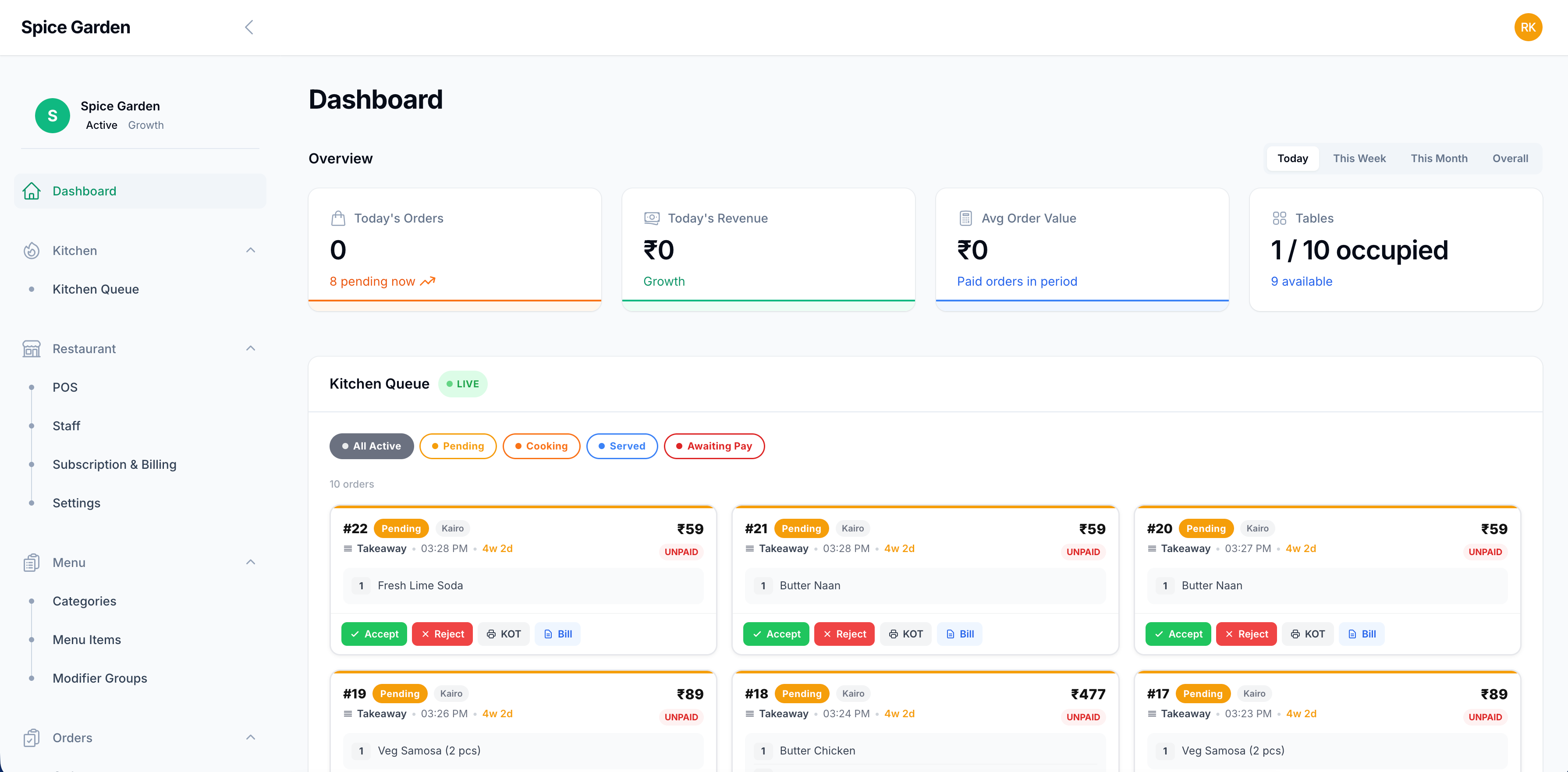
Real-Time Dashboard
Get a bird's-eye view of today's orders, revenue, average order value, and live table occupancy — all updated in real-time without a refresh.
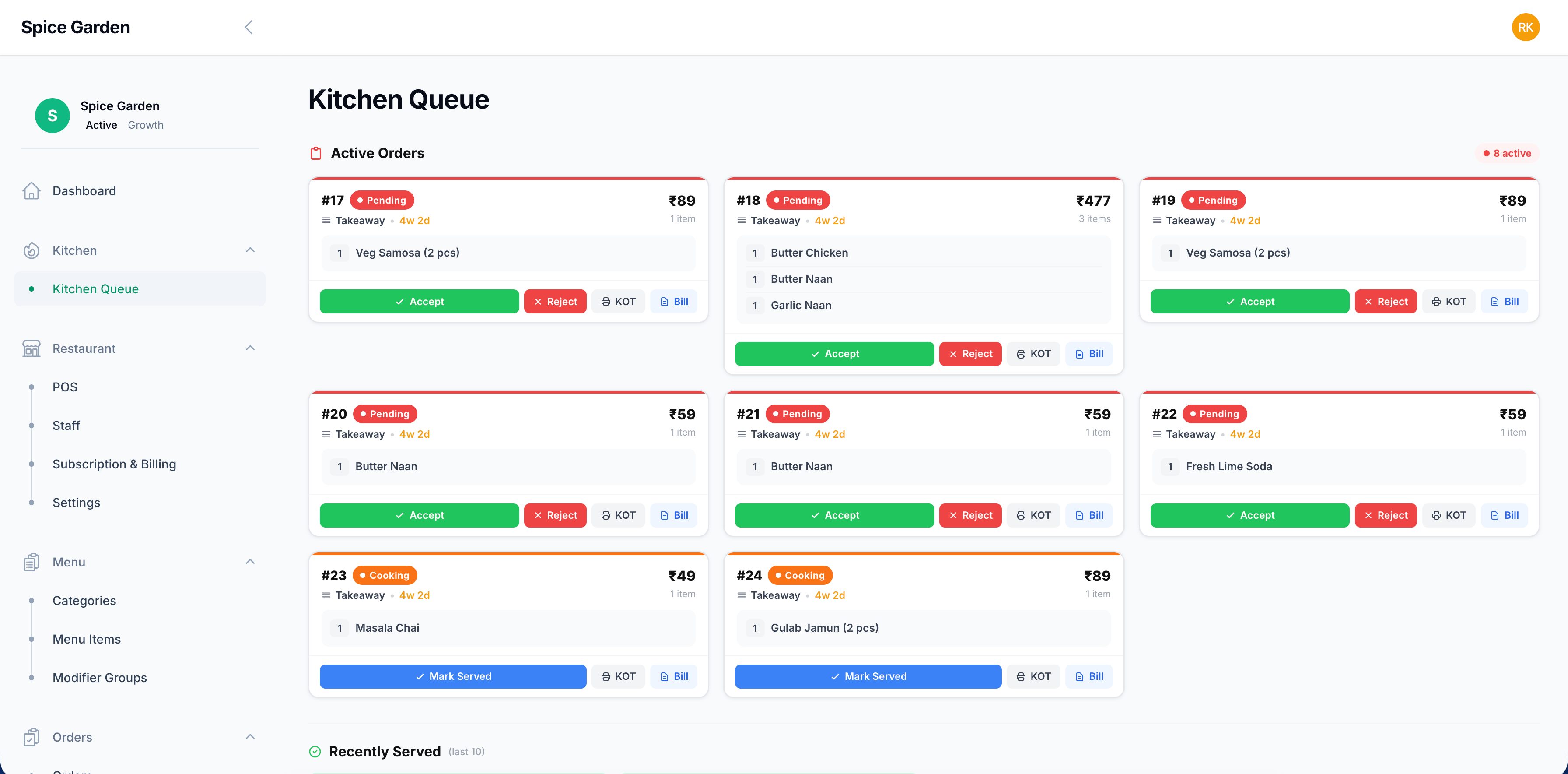
Live Kitchen Queue
Every incoming order lands here in real time. Kitchen and counter staff can Accept, Reject, print a KOT, or generate a Bill — with full item details and order source visible at a glance.
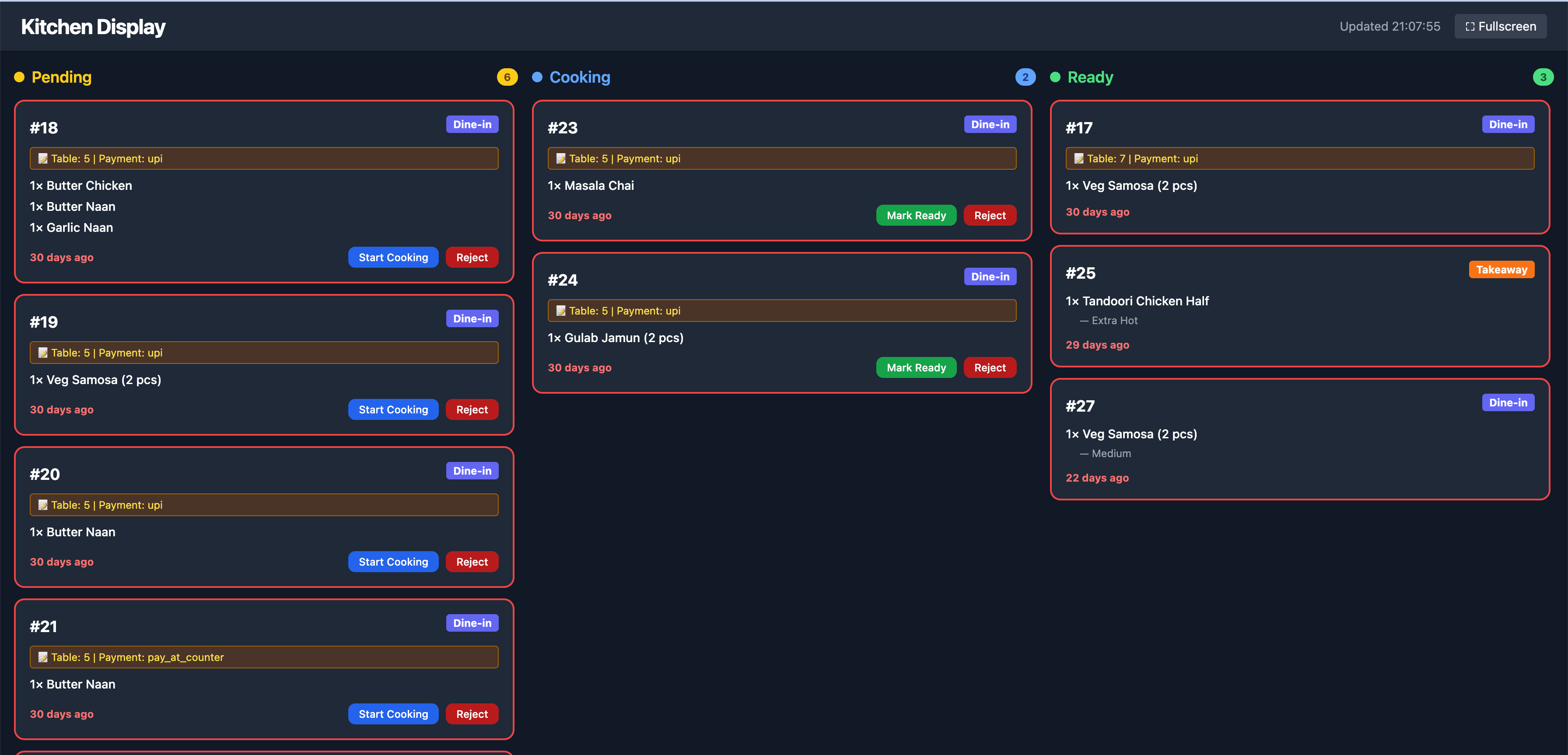
Kitchen Display System (KDS)
A dedicated full-screen KDS view for the kitchen — Pending, Cooking, and Ready columns update live as staff progress orders. No paper KOT needed.
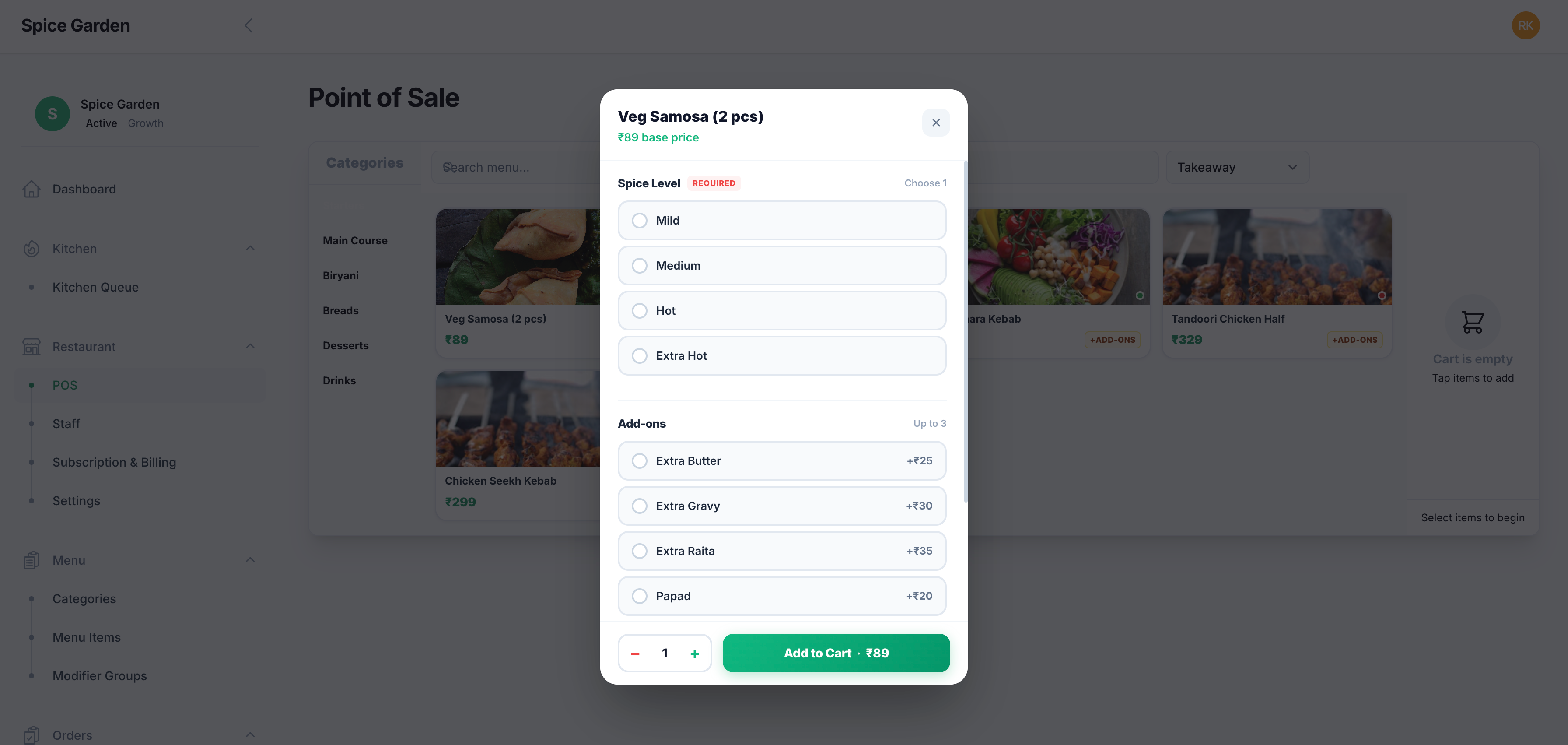
Touchscreen Point of Sale
Food-photo menu with category tabs, item modifiers (spice level, add-ons), real-time table assignment, and multi-mode payment — Cash, Card, or UPI.
Scan-to-Order QR Menu
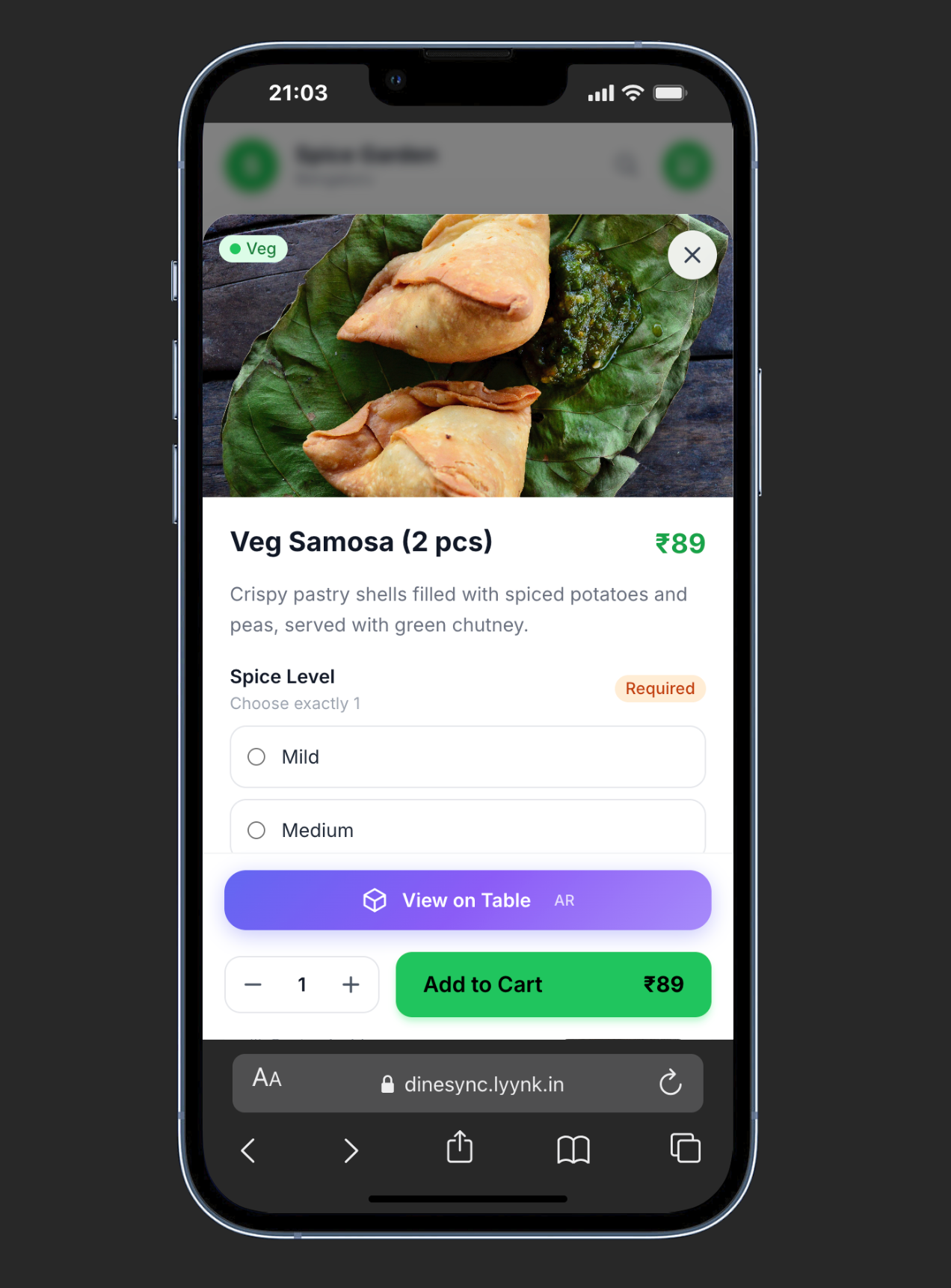
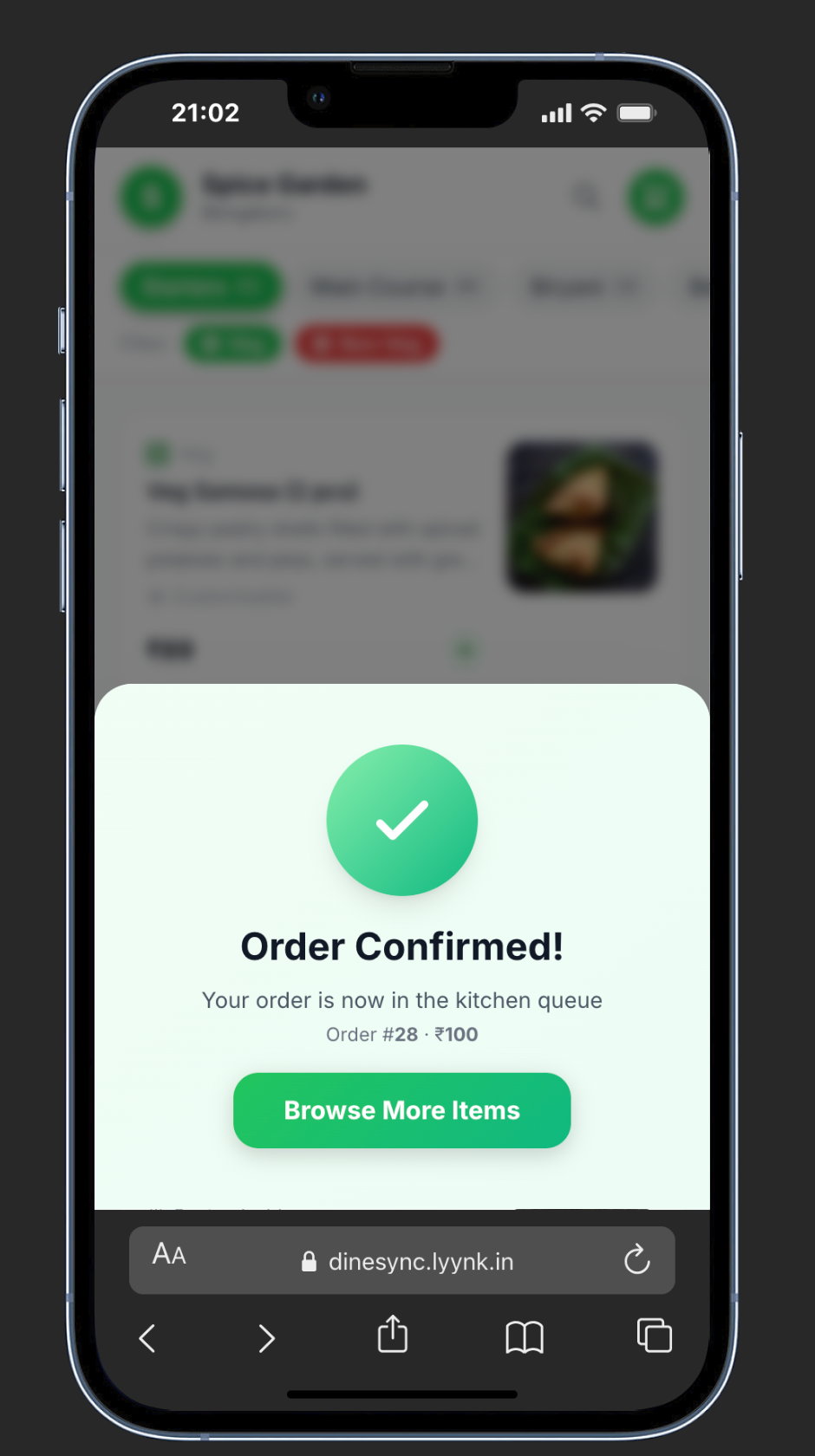
Customers scan the table QR, browse your digital menu with photos and modifier options, tap "Add to Cart" and confirm. The order lands in your kitchen queue instantly — no app, no login.
Live Order Tracking for Customers
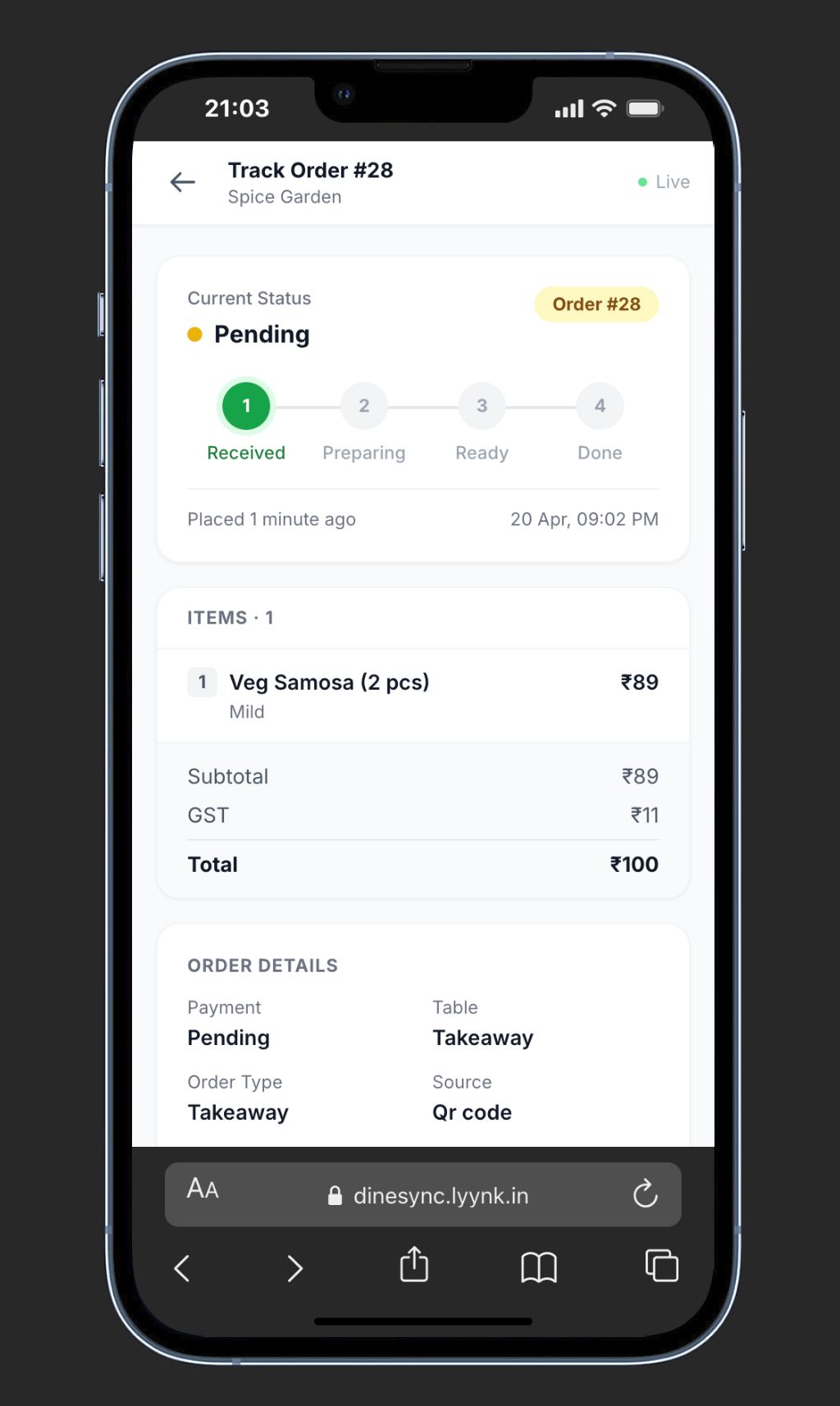
After placing a QR order, customers can track their order status in real time — from Received through Preparing and Ready to Done — with a GST receipt and item breakdown, all without an app or login.
Visual Menu Management
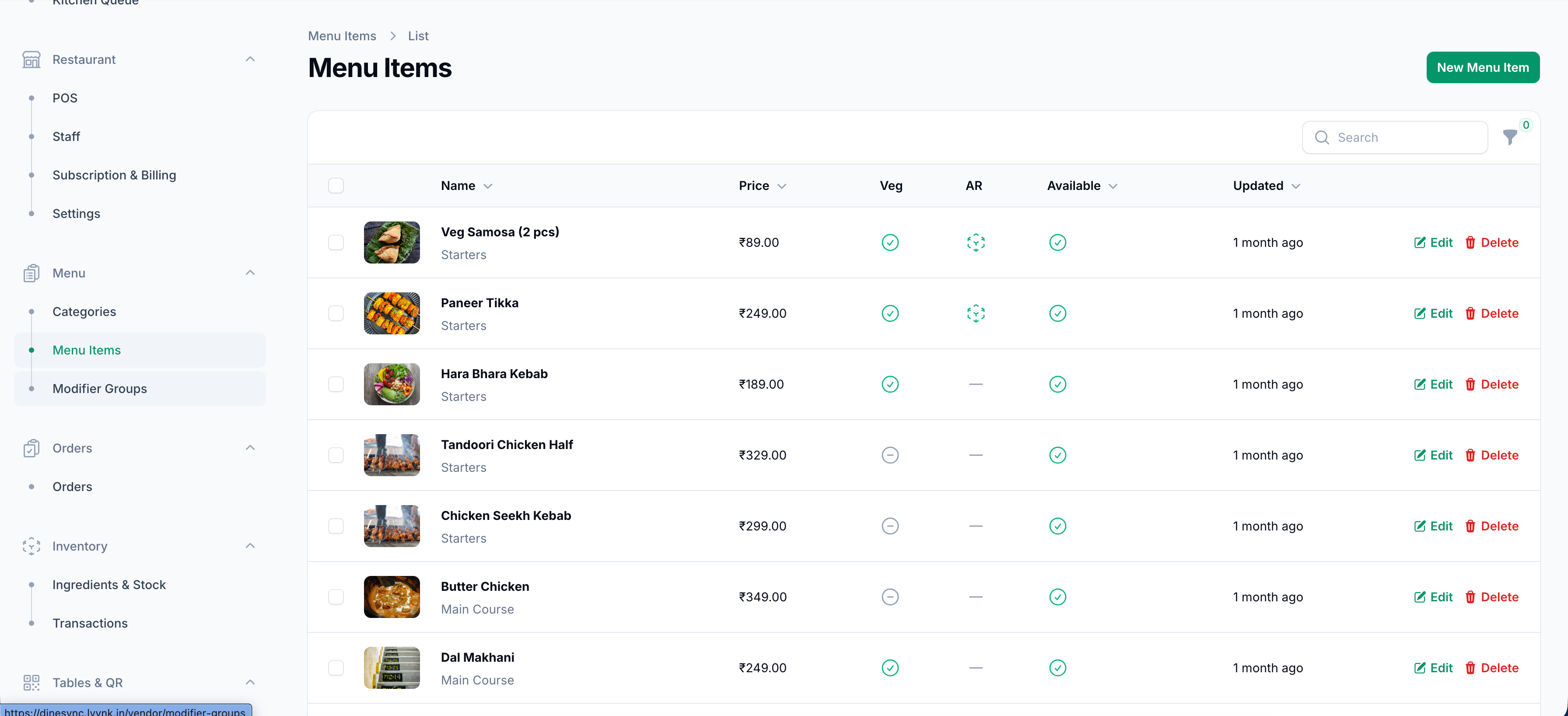
Manage your full menu from one table — food photos, prices, veg/non-veg flags, allergen markers, and live availability toggles. Add, edit, or disable items in seconds without touching a tablet or POS terminal.
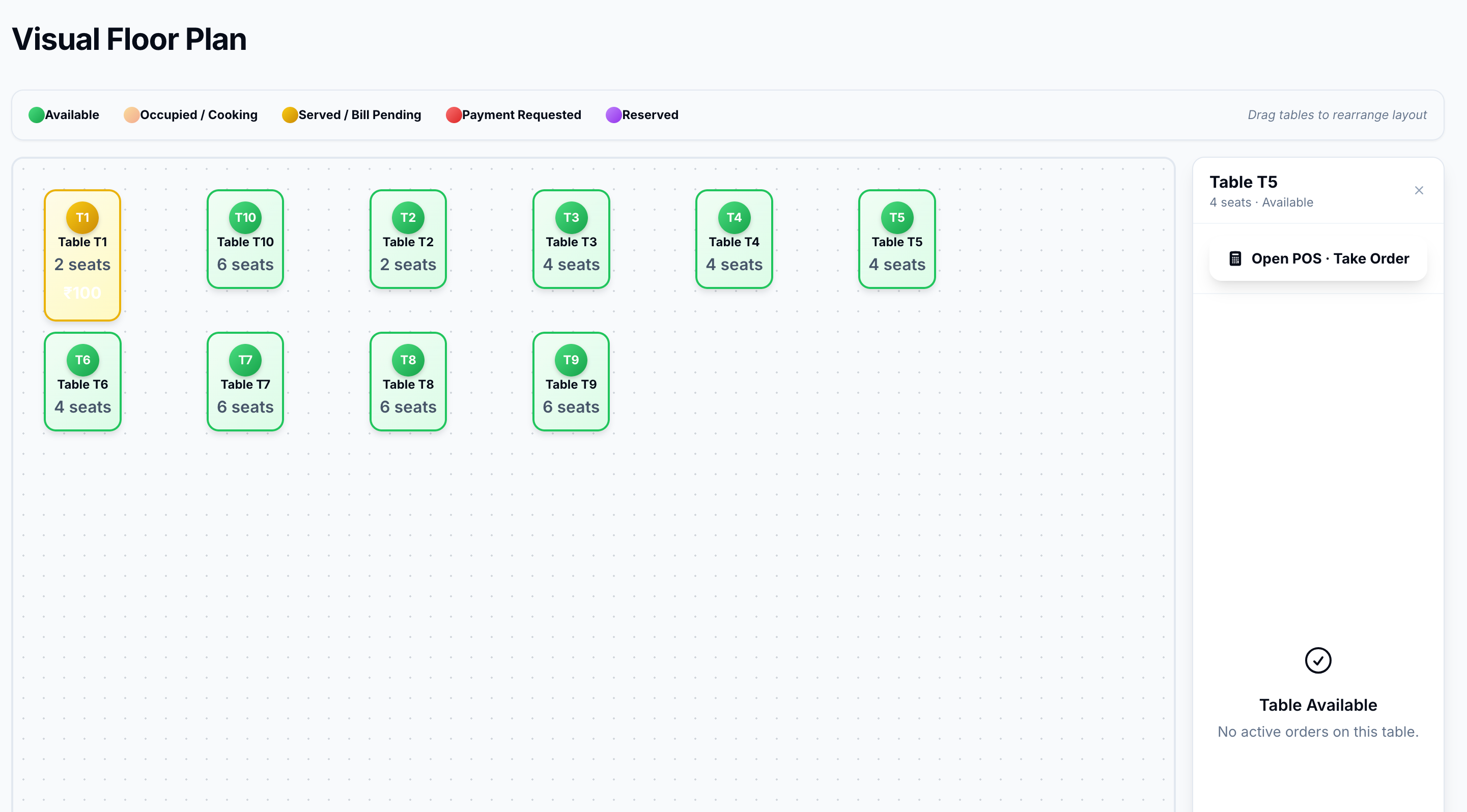
Visual Floor Plan
Drag-and-rearrange table layout with live colour-coded status — Available, Occupied/Cooking, Served/Bill Pending, Payment Requested, and Reserved. Tap any table to open the POS instantly.
Everything a Modern Restaurant Needs
DineSync replaces four or five disconnected tools with one smart platform — saving time, reducing errors, and helping you grow.
Live Kitchen Queue
Real-time KOT management with Accept/Reject, KOT print, and status filters. Chefs never miss an order.
- Instant KOT printing
- Pending · Cooking · Served · Awaiting Pay
- Auto-accept mode available
Touchscreen POS
Food-photo menu with category tabs, item modifiers, table assignment, and multi-payment support — built for speed.
- Cash · Card · UPI payments
- Dine-in & Takeaway modes
- Instant bill generation
QR Customer Ordering
Customers scan a table QR code and place orders from their phone — straight to the kitchen, no waiter needed for every item.
- No app download needed
- Item photos & modifier selection
- Live order confirmation
Menu Management
Full control of categories, items, modifier groups, pricing, and availability — with Veg/Non-Veg tagging and AR food view.
- Item images & descriptions
- Modifier groups with pricing
- Toggle item availability live
Staff & Role Management
Create role-based staff accounts with access control — Managers, Waiters, and Chefs each see only what they need.
- Manager · Waiter · Chef roles
- Instant account creation
- Activity tracking
Tables & Floor Plan
Assign orders to specific tables, view live occupancy, and manage your floor layout — all from one screen.
- Visual floor plan editor
- Table QR code generation
- Live occupancy tracking
GST & Tax Settings
Built-in GST support for India with inclusive/exclusive tax modes. Configures automatically on bills and receipts.
- GST · AU · SG · CA tax types
- Inclusive & exclusive modes
- Tax shown on all receipts
Loyalty Program
Track repeat customers by device ID. Let them earn and redeem loyalty points — configurable spend-per-point ratios.
- QR-based customer tracking
- Configurable point ratios
- Auto-discount on redemption
Inventory Management
Track ingredients and stock levels. Get notified before you run out — so you never 86 an item mid-service unexpectedly.
- Ingredient & stock tracking
- Transaction history
- Low stock alerts
Swiggy & Zomato Sync
Pull orders from Swiggy and Zomato directly into your kitchen queue — no tablet juggling, one unified order flow.
- Swiggy integration
- Zomato integration
- Orders tagged by source
SMS Notifications
Send automated order confirmations and status updates to customers via SMS — with configurable provider support.
- Order confirmation SMS
- Status update alerts
- Multiple SMS providers
UPI & Online Payments
Accept UPI payments directly on the customer's phone — no payment gateway fees, just your UPI VPA and a QR code.
- GPay · PhonePe · Paytm
- No gateway required
- Payment shown on bills
Built for Restaurants. Not Adapted for Them.
One Platform, Not Five
POS, KOT, QR ordering, inventory, loyalty, and third-party delivery — unified. Cancel four subscriptions today.
30-Minute Setup
Add your menu, create staff accounts, print table QRs, and go live — no IT team, no hardware procurement.
India-First Design
GST billing, UPI payment, INR currency, and Swiggy/Zomato integration built in — not bolted on as afterthoughts.
Scales With You
From a single QSR to a multi-outlet chain — DineSync handles your growth without changing platforms or exporting data.
Simple, Transparent Pricing
No hidden fees. No per-order commissions. One flat monthly subscription per outlet.
Starter
For new restaurants getting started with digital operations.
- Dashboard & Analytics
- Kitchen Queue & KOT
- Point of Sale
- Menu Management
- Up to 3 Staff Accounts
- GST Billing
Growth
For established restaurants that want full control and customer engagement tools.
- Everything in Starter
- QR Customer Ordering
- Floor Plan & Table Management
- Inventory Management
- UPI Payments
- Up to 10 Staff Accounts
Pro
For growing restaurants that need full integrations, loyalty, and unlimited staff.
- Everything in Growth
- Loyalty Program
- Swiggy & Zomato Sync
- Unlimited Staff Accounts
- SMS Notifications
- Multi-outlet Dashboard
- Dedicated Support
- Priority Response (4 hrs)
Common Questions
Do I need any special hardware?
No. DineSync runs in any modern browser on any device — tablet, laptop, phone. For KOT printing, a standard Bluetooth or network receipt printer works out of the box.
How does QR ordering work for customers?
You print a QR code sticker per table (generated by DineSync). Customers scan it, browse your live digital menu, choose items and modifiers, and tap "Add to Cart". The order appears in your kitchen queue instantly — no app, no login required on their end.
Is my data safe and backed up?
Yes. DineSync is hosted on secure cloud infrastructure with daily automated backups. All communication is encrypted over HTTPS.
How do Swiggy and Zomato orders come in?
After connecting your partner credentials, orders from Swiggy and Zomato flow automatically into DineSync's order queue — tagged by source. You manage them in one place alongside dine-in and takeaway orders.
Can I try DineSync before subscribing?
Yes — we offer a free guided demo with sample data loaded for your restaurant type. Contact us and we'll set it up in under 24 hours. No credit card required.
What kind of support do you provide?
All plans include email and WhatsApp support during Mon–Sat business hours. Growth plan includes priority response within 4 hours. Enterprise plans get a dedicated account manager and SLA.
Ready to Run a Smarter Restaurant?
Join restaurants already using DineSync to serve faster, waste less, and grow more. Setup takes under 30 minutes.